Swallow Build: Bring your pricing model to life

In this walkthrough, you’ll see how every step, rule, and input can be edited in place, tested instantly, and kept perfectly in sync for your whole team.
Whether you are updating an existing model or preparing it for first-time deployment, Build gives you the tools to adjust logic, manage data, publish new versions, and release your model as an API or embeddable form.
The transcript below captures the exact process from editing a step to publishing a production-ready version - all inside Swallow.
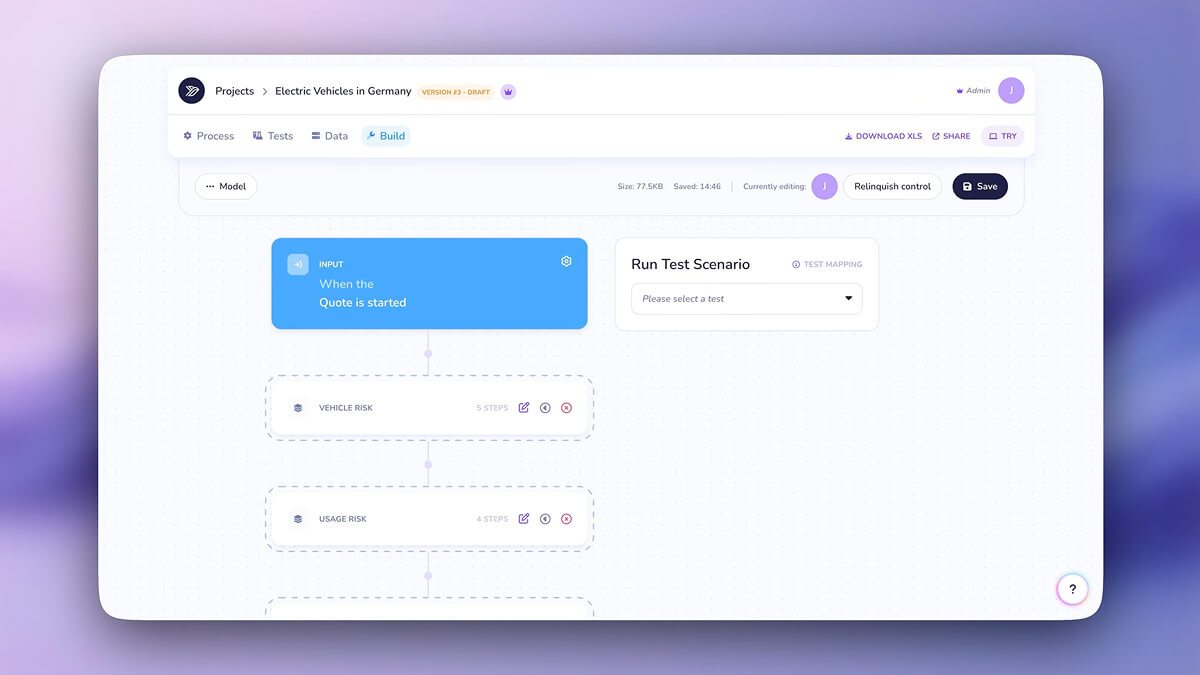
This view introduces the Build area, where the full structure of your pricing model is laid out in a clear, ordered sequence.
Every input, calculation and rule is visible, making it simple to open any part of the model and refine the logic. This is where your pricing design takes shape, ready to be adjusted, grouped or extended as your product develops.
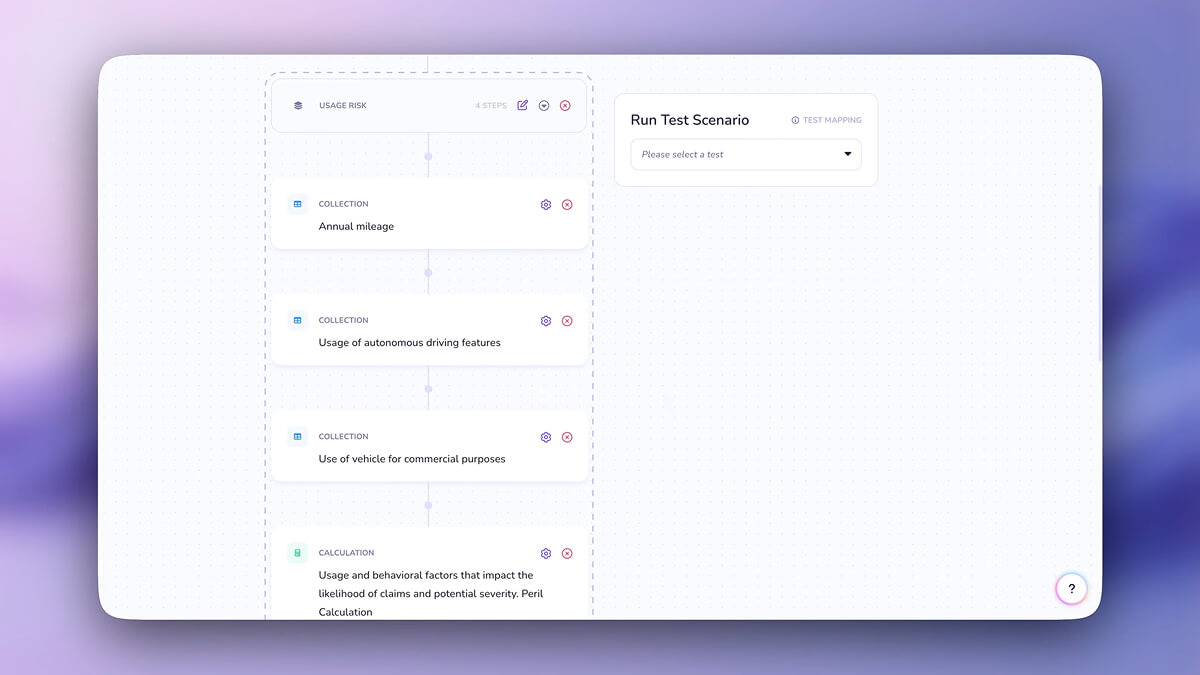
This screen highlights how easily you can edit and expand your model by adding new steps.
You can update logic, reorganise flows, introduce new calculations or inputs, and structure your pricing journey exactly how you want. The Build area gives your team a clear and flexible workspace for evolving the model as products mature.
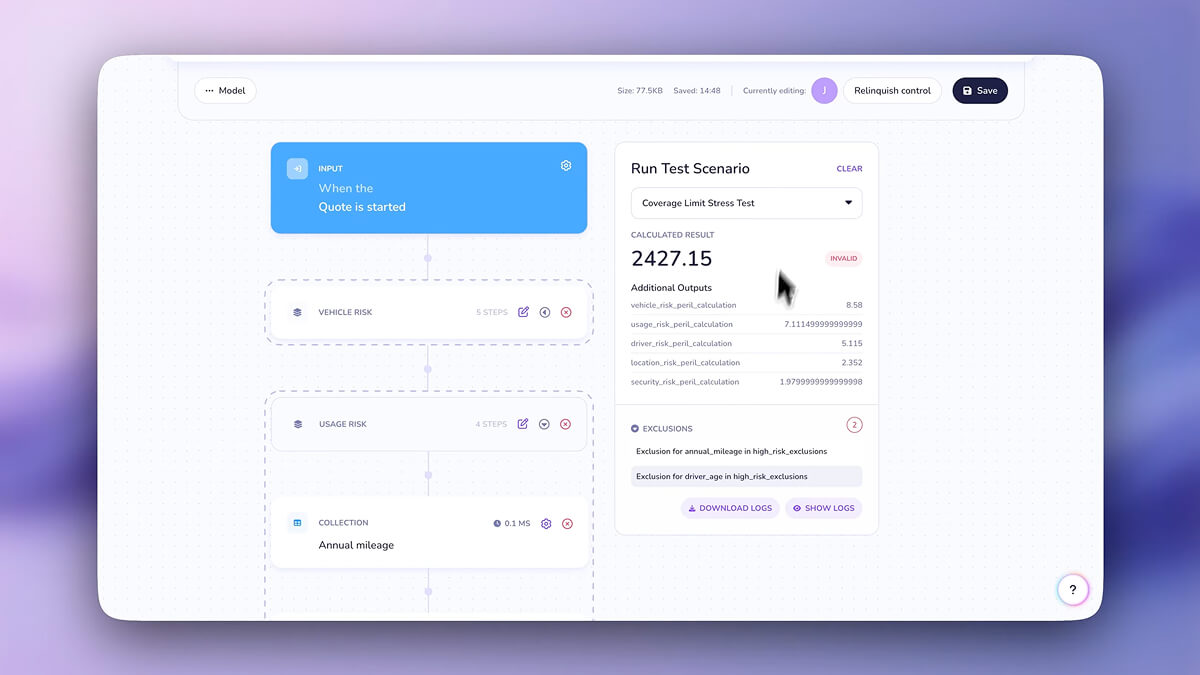
Here the video shows how quickly you can test your adjustments.
As soon as you refine a step or introduce new logic, you can run a test without leaving the page. This fast feedback loop helps you fine tune your model with confidence, ensuring each update behaves as expected before you move on.
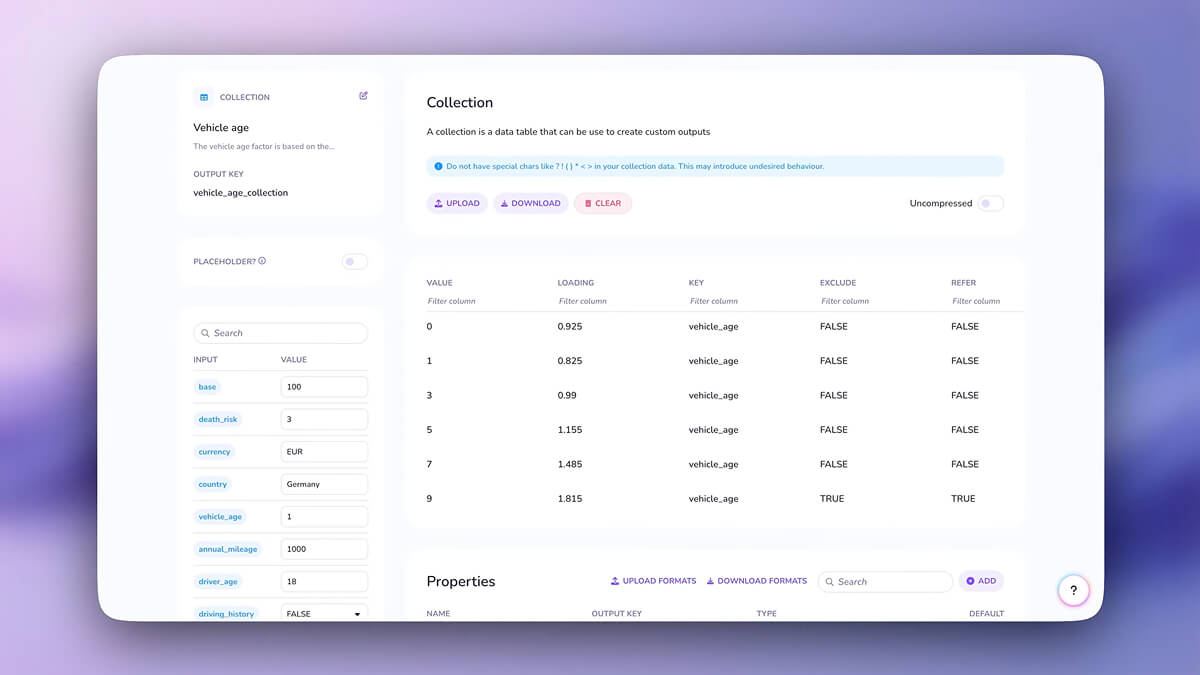
This screen opens a collection step, which holds structured data for the model.
You can view the full set of values and properties that drive downstream pricing. Swallow lets you edit most steps directly in the platform, giving teams the freedom to maintain and evolve large data sets without relying on external tooling.
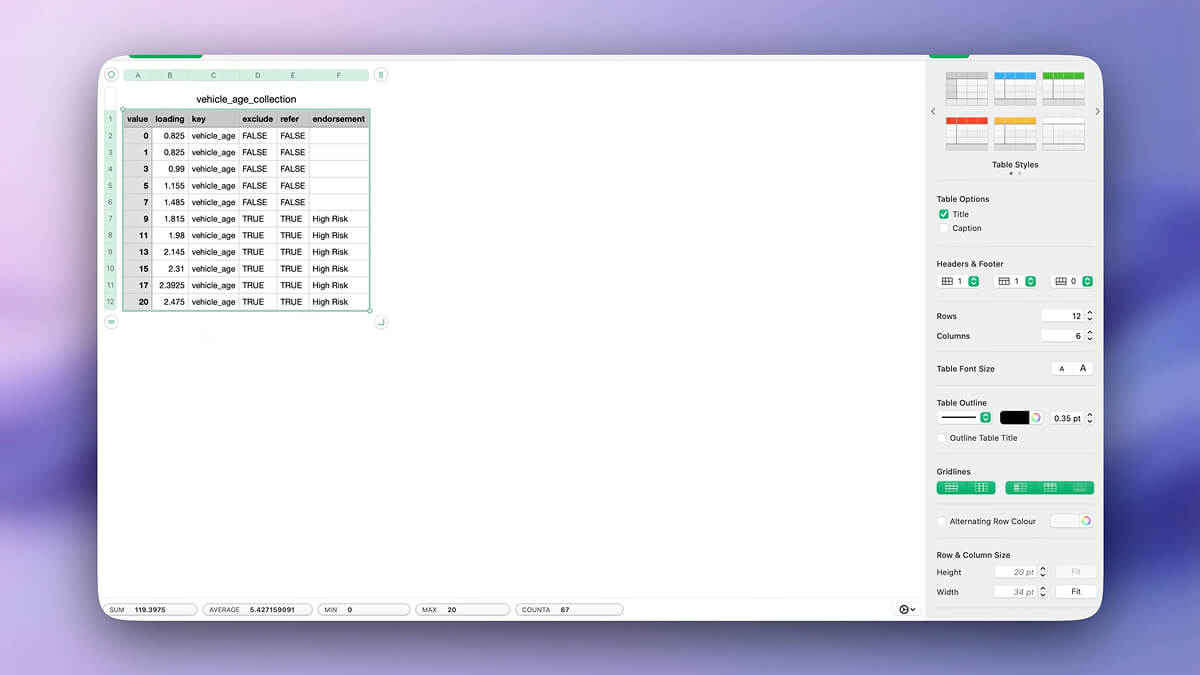
Here the video shows the option to download the step data to Excel.
This is useful for quick updates where spreadsheet tools remain the fastest way to work. You can adjust values, reorder entries or clean up the table locally, knowing the changes will flow straight back into Swallow once pasted.
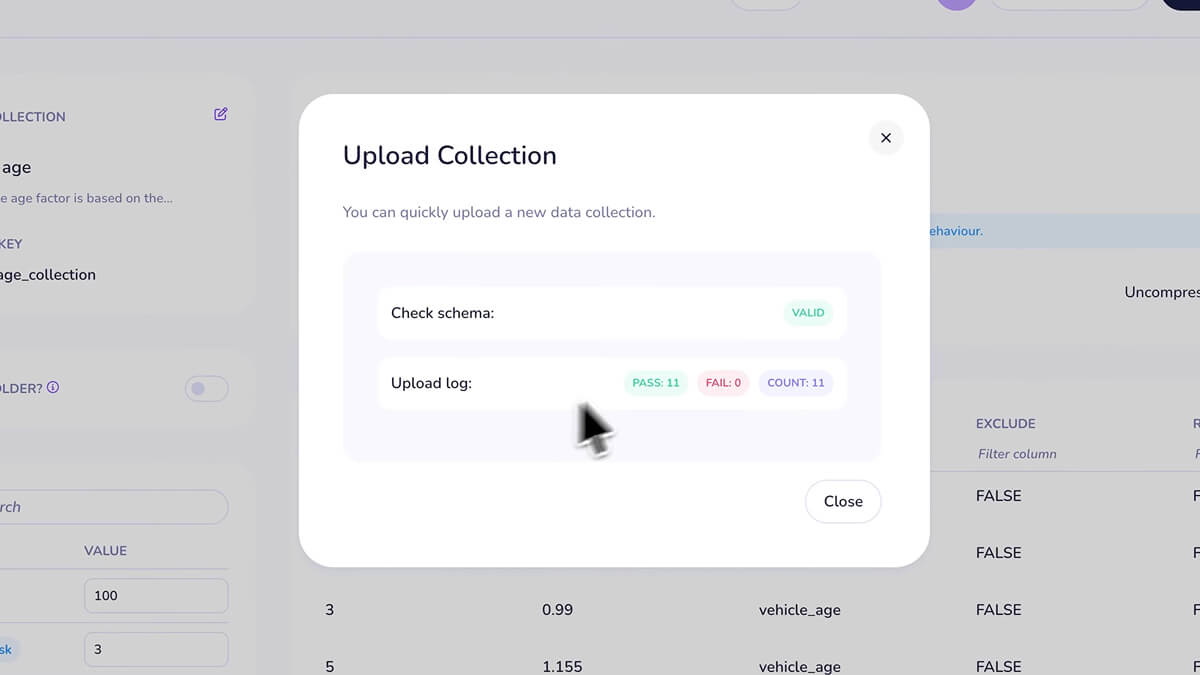
After making revisions in Excel, you can paste the updated data directly into the Swallow table.
No outdated versions or conflicting files to manage. Everything remains in sync and shared across the project, ensuring that teams stay aligned on the latest pricing logic.
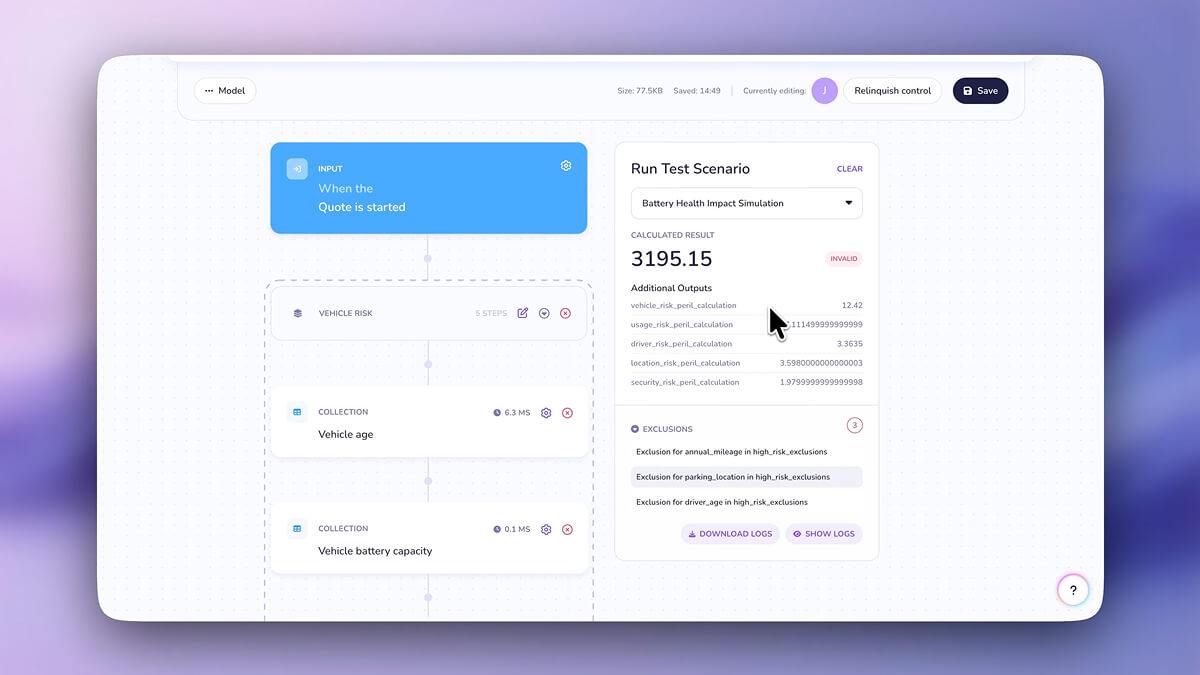
Once the update is saved, you can run a test straight away.
The video highlights how quick it is to see the effect of changes without switching context. This immediate feedback loop allows for precise tuning, faster iteration and confident model refinement.

The final step is publishing your updated model. Each release is tracked, timestamped and ready to roll back if needed.
If you are publishing a project for the first time, you can deploy it as an embeddable form or connect it to your own systems by API. Publishing through Swallow ensures that your models remain consistent, accurate and ready for live use across your entire pricing ecosystem.