Swallow Tests: Validate your pricing with real-world scenarios

Here, you can simulate real customer scenarios against your current version, watch every rule and calculation fire, and spot issues long before they reach production.
If something needs adjusting, you can jump directly back into Build, refine your logic, and rerun your test in seconds.
For full transparency, the Logs view surfaces every step behind the premium calculation, making debugging and auditing effortless. The transcript below walks through how testing in Swallow ensures every release is robust, accurate, and ready to deploy.
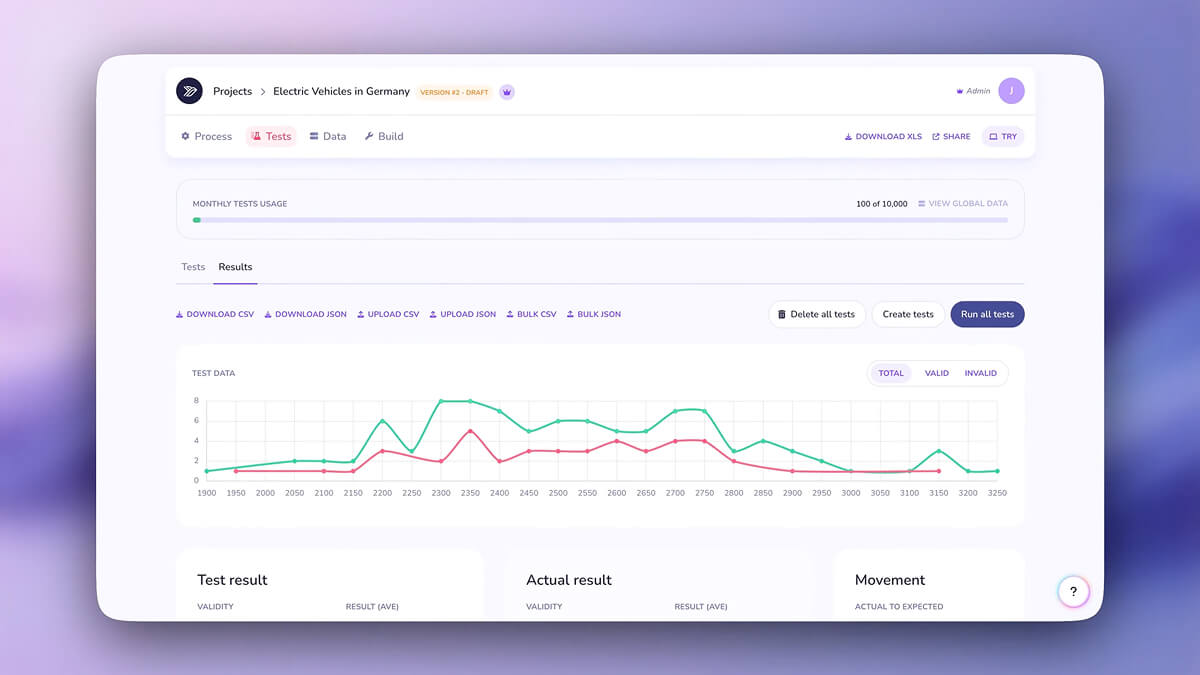
This screen introduces the Tests area, where you can simulate real customer quotes against your current model version.
Swallow runs the quote through every rule, calculation and pricing step, giving you a clear view of how the model behaves in practice. It is the safest place to validate logic before anything reaches customers.
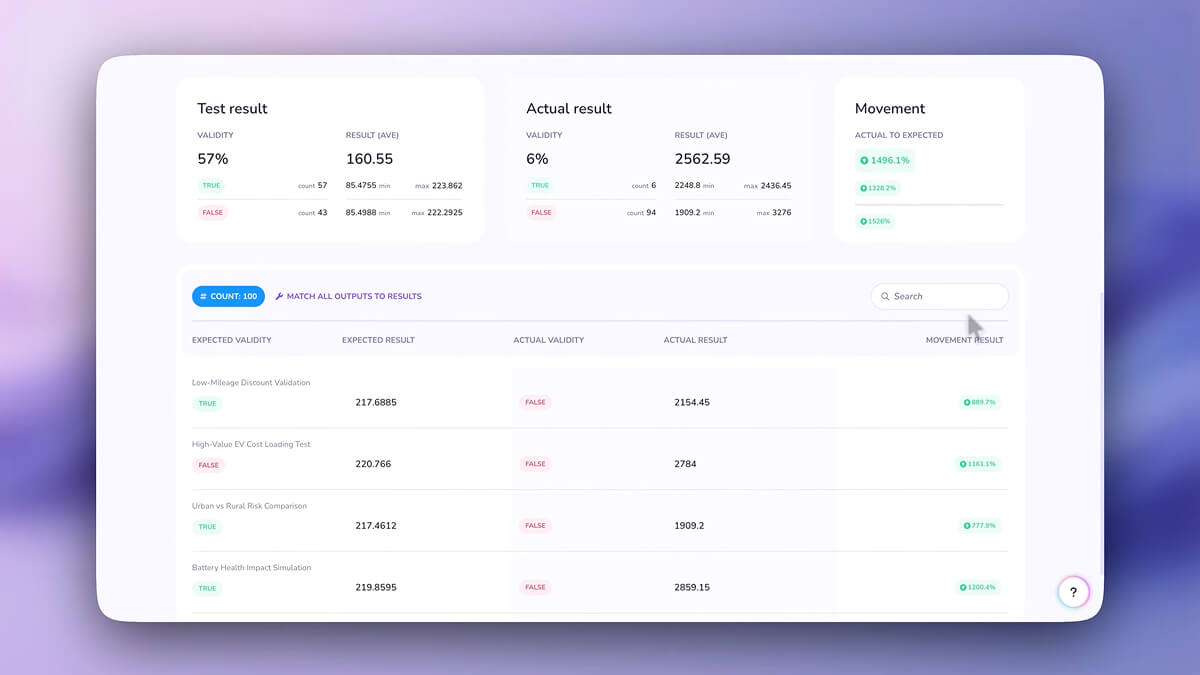
Here you can see the full breakdown of test results.
Each quote displays its outputs, component prices, loadings and discounts, helping you understand how individual parts contribute to the final premium. This makes it easy to spot unexpected behaviour early and refine your model with confidence.
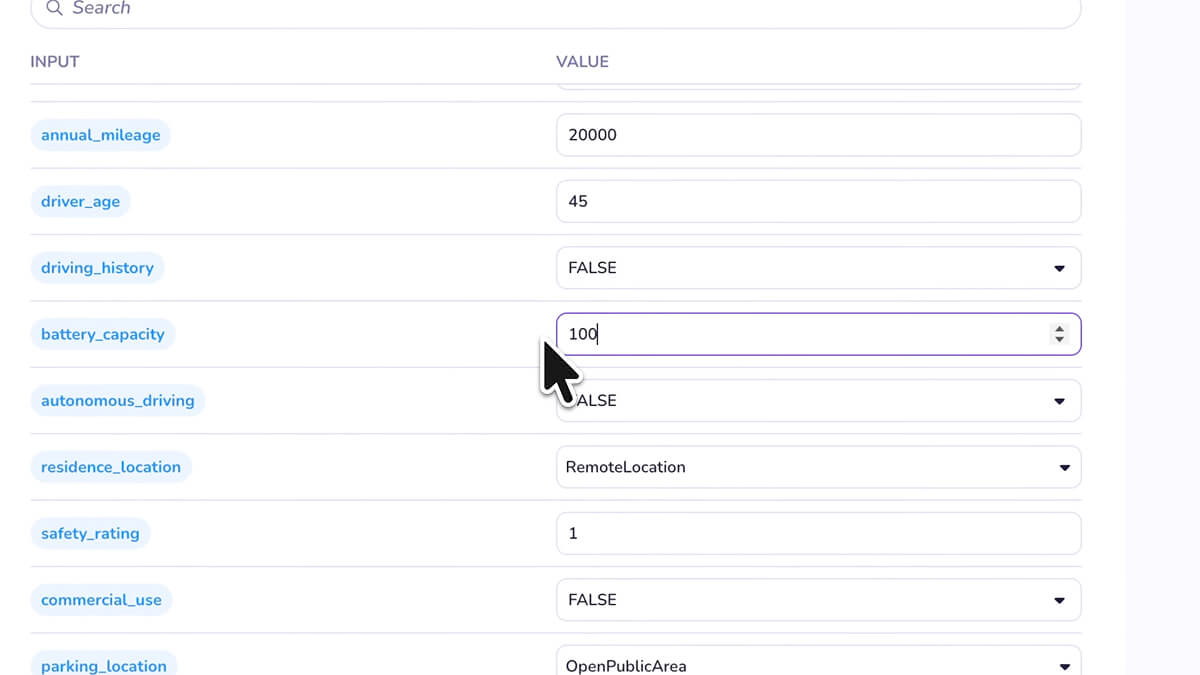
This view shows how you can adjust inputs to test different customer scenarios.
By changing values such as age, vehicle details, property data or cover options, you can see how your model responds under varied conditions. It is a fast way to explore edge cases and ensure consistent logic across the board.
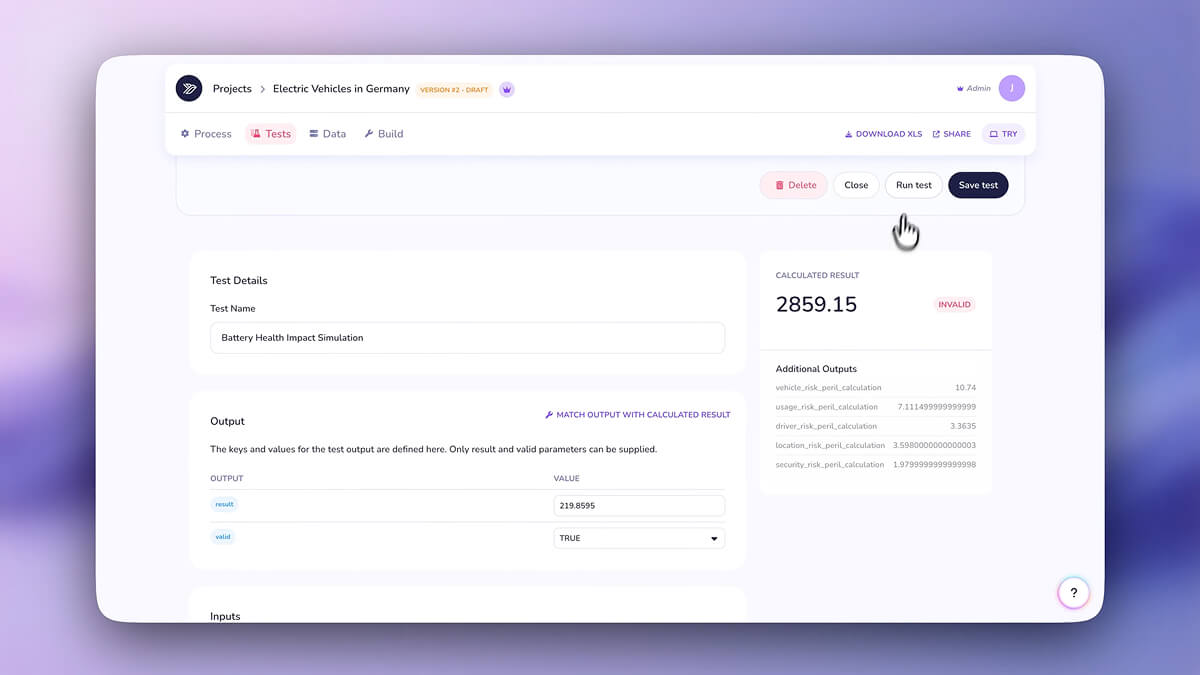
This step opens the detailed outcome for a single quote.
You can review the model’s decision making line by line, confirming that each rule executes as intended. It helps you validate the behaviour of both simple adjustments and more complex rating structures.
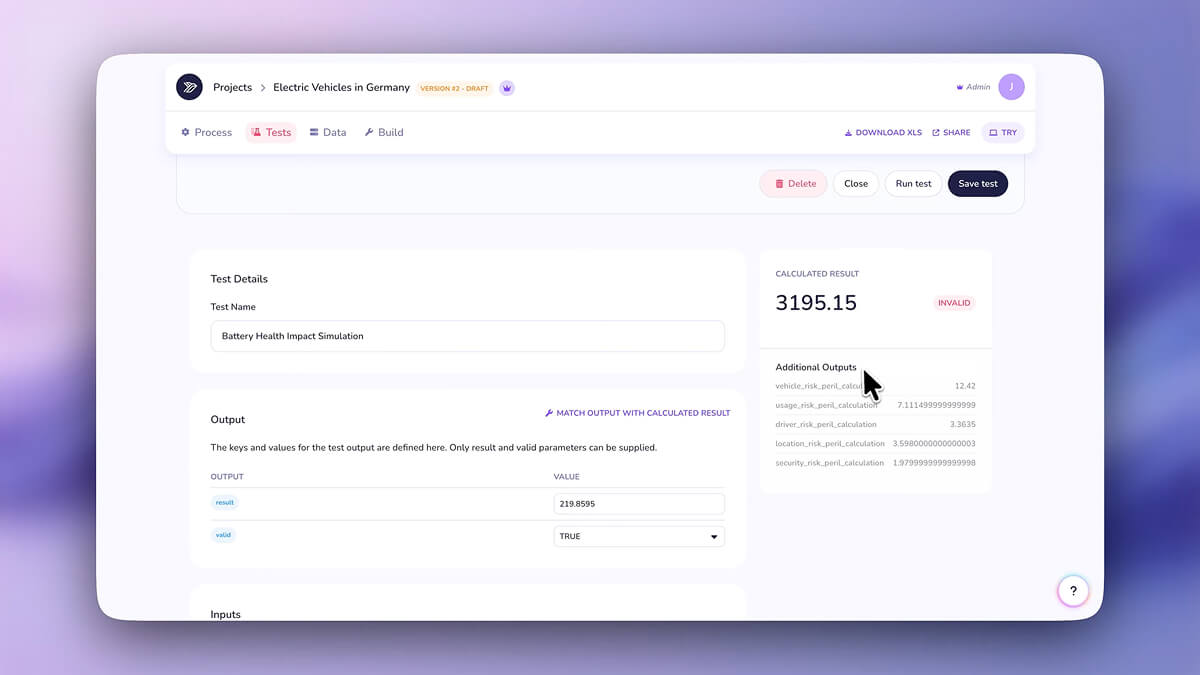
If a result looks unusual or needs improvement, this screen shows how easily you can identify the rule or step that requires attention.
From here you can jump straight back to Build, make the necessary updates and return to Tests without losing your place.
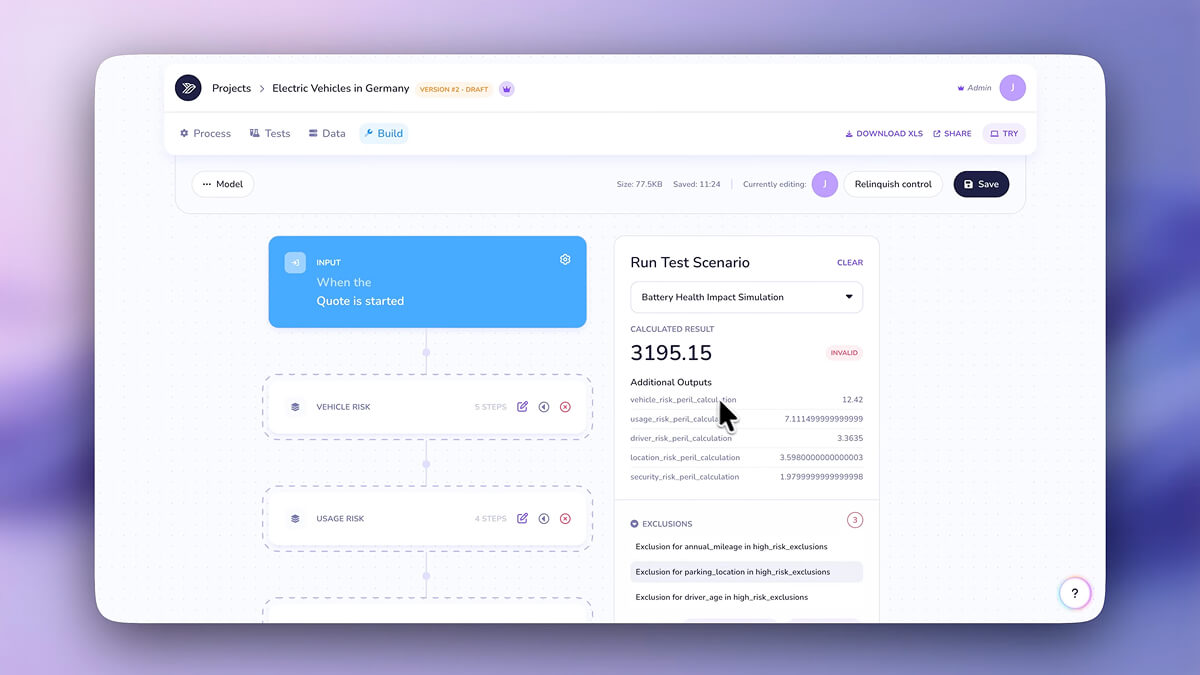
Once you have refined your model, you can rerun the test instantly.
Swallow applies your changes and recalculates the outcome in seconds, allowing you to confirm that your adjustments have produced the intended effect. This tight feedback loop supports reliable, iterative model development.
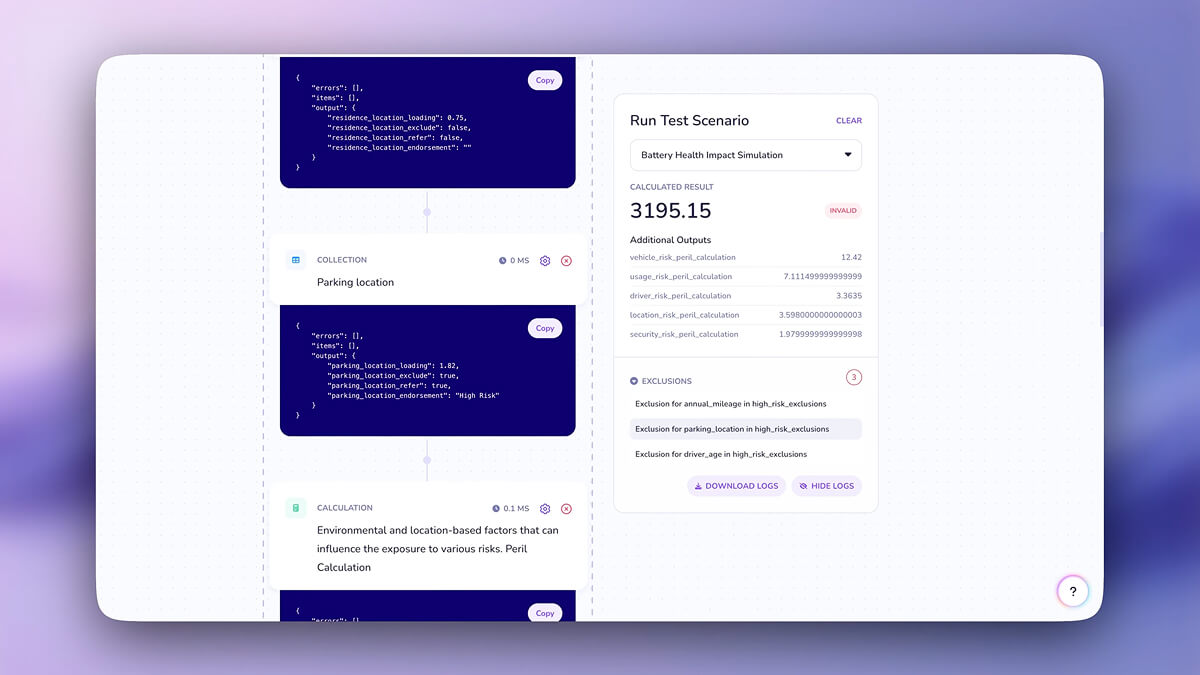
This final screen shows the Logs view, which reveals every calculation behind the result.
It is ideal for auditing, debugging and explaining decisions to internal teams or external partners. With full visibility into each step, you can release your model knowing it is accurate, stable and ready for deployment.